Organisations, team roles and new plans
Group your projects in an organisation, invite your team with the right role for each project, and pick the Starter, Growth or Portfolio plan that fits.
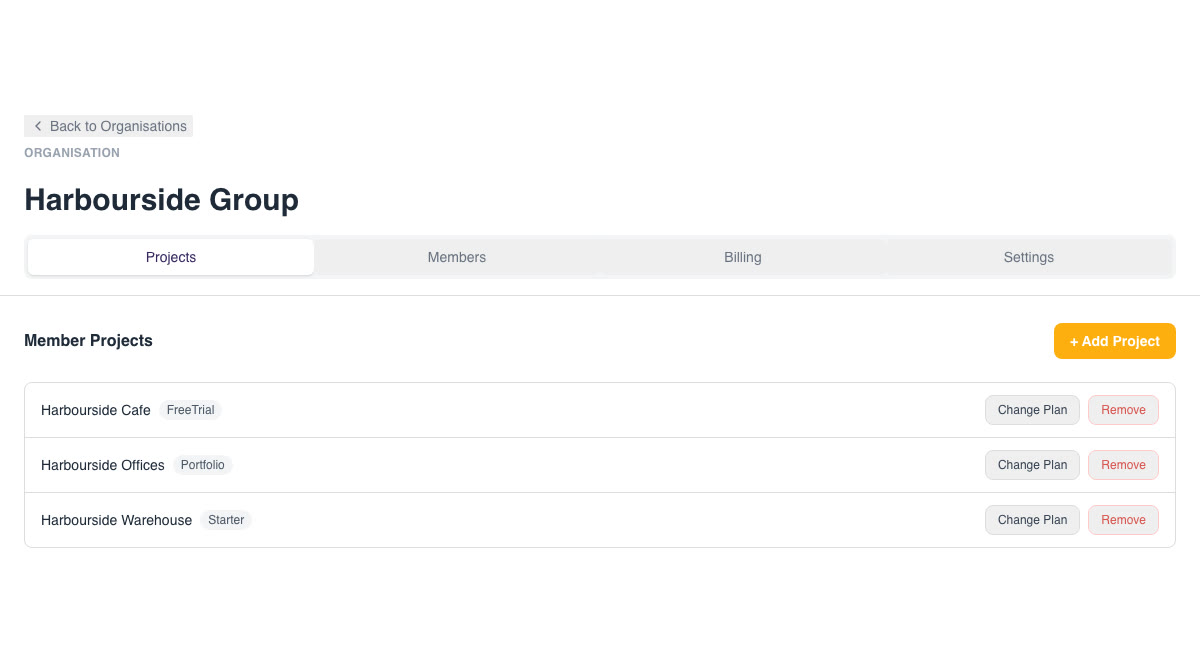
GuestTrack now organises accounts around organisations. An organisation holds your projects, your team and your billing in one place, so a business with several sites, entrances or events can run them all from one login.
Organisations and projects
A project is one visitor check-in setup: its form, QR codes and visitor records. An organisation groups projects together.
- Every new account gets an organisation for its first project. Add more projects to it whenever you need them.
- Each organisation has Projects, Members, Billing and Settings tabs.
- Use the project switcher at the top of the dashboard to move between projects.
Team members and roles
Open Organisations, select your organisation, then choose Members > Invite member. An invitation only takes effect once the person accepts it.
| Role | What they can do |
|---|---|
| Owner | Everything, including billing |
| Organisation administrator | Everything the owner can do: manage members, projects, settings and billing. You can have as many as you like |
| Member: Project manager | Configure the projects you assign and manage their records |
| Member: Check-in staff | Front-desk check-in for the projects you assign, without management access |
| Member: Records viewer | View records in the projects you assign |
So a site manager can run their own site, and front-desk staff only see what they need.
New plans
New projects start with a 14-day free trial (up to 25 check-ins). After that, choose a plan, billed monthly or yearly:
| Plan | Monthly | Yearly |
|---|---|---|
| Starter | A$19 | A$190 |
| Growth | A$49 | A$490 |
| Portfolio | A$149 | A$1,490 |
See Pricing for what each plan includes.
Already a subscriber?
Existing Basic and Enterprise subscribers keep their current plan and price. If you'd like to move a project to one of the new plans, open the project's Subscription page and use Move to an Organisation. The time you have already paid for is kept as credit towards the organisation's bill.