Visitor sign-in app: visitors sign in on their own phone
Put a QR code at your door. Visitors scan it with their camera and sign in. No iPad to buy, no app to install.
- From US$15 a month per site
- 14-day free trial, no card
- Ready in 10 minutes
Used at more than 16,000 sites
Nothing is saved until you start. You can change everything later.
 Scan to try a real check-in. Yours gets its own code when you start.
Your page, live. Fill it in the way a visitor would.
What happens after they sign in
Signing in is the start. Here is what you and your team see.
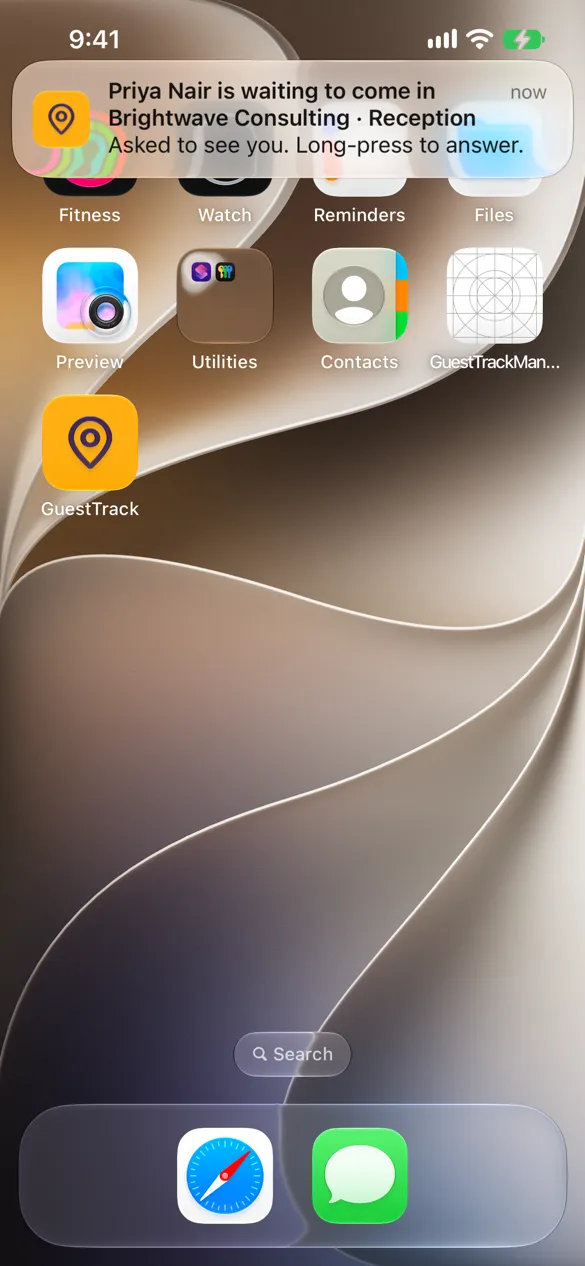
The host knows straight away
The person they came to see gets an email or a notification on their phone, and can answer Let in or I’ll meet them.
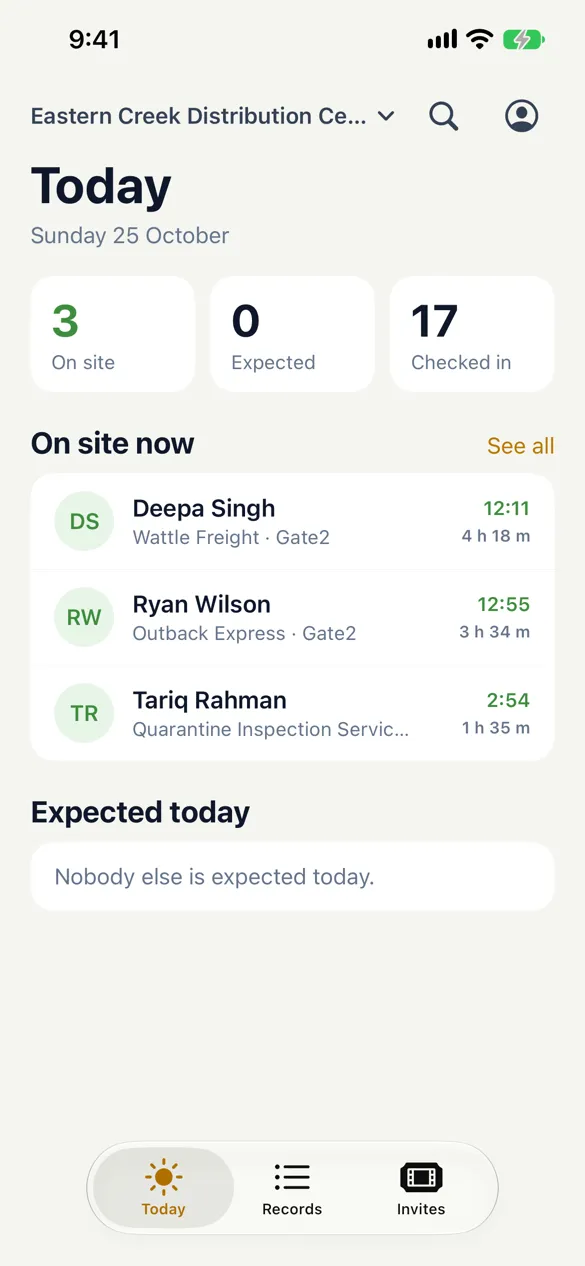
See who is on site now
Everyone signed in, how long they have been there, and who is still expected. The list you need if you have to clear the building.
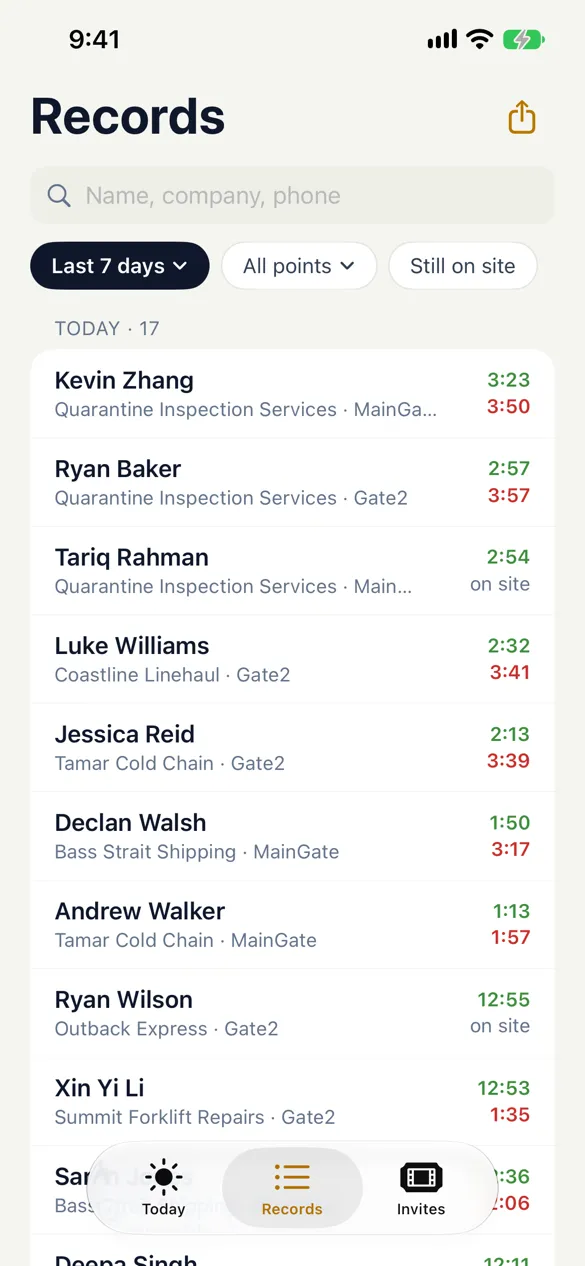
Every visit on record
Search by name, company or phone, filter by day and entrance, and export to a spreadsheet for an audit.
On your phone
Run the front desk from your pocket
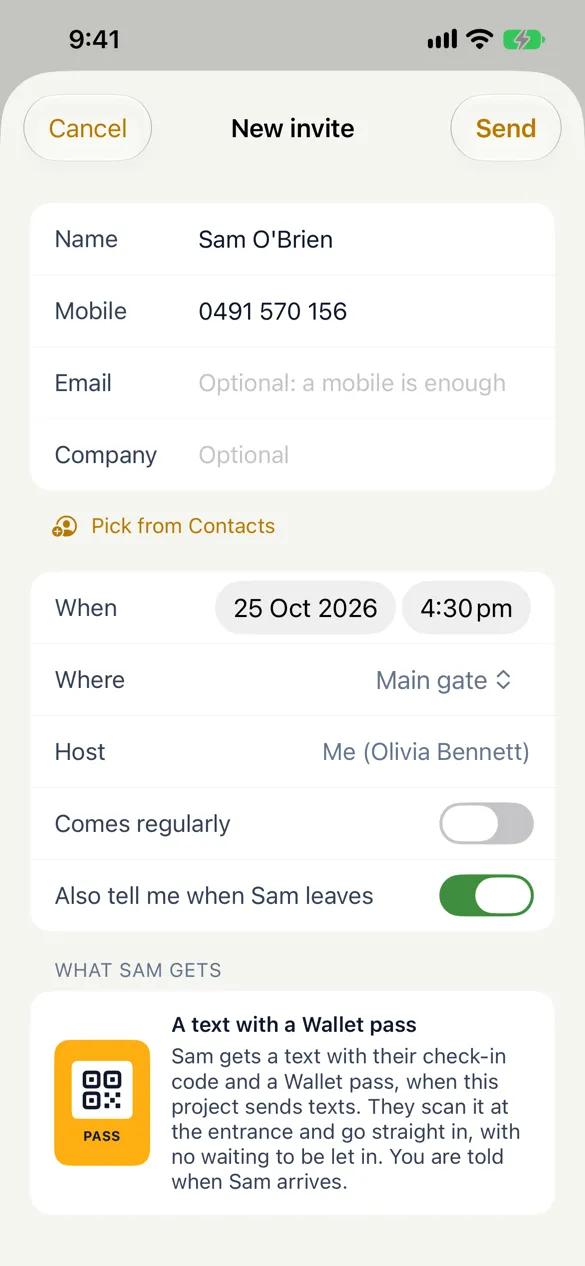
The GuestTrack app for iPhone and Android, for the people who look after visitors.
- Let a visitor in, or say you will meet them, from the notification
- Invite visitors ahead, with a pass for their phone’s wallet
- Check people out with a swipe at the end of the day
- Any tablet at reception can be the kiosk as well

The same Today screen works in any browser too.
For your own team
Staff and contractors check in with one tap
Visitors use the web page. The people you know, such as staff, contractors, drivers and guards, can use the GuestTrack Check In app at the same points.
Checked in by GPS
Scan the code, or just arrive: inside the radius you set, the app checks them in. A photo of the QR code checks nobody in.
Works with no signal
In a basement, a cold store or a remote site, the check-in is saved on the phone with its time and place, and sent when the signal is back.
In and out by itself
Auto check-in and check-out at every stop, and the form filled in from last time. Good for drivers and guards on a round.
On Growth and Portfolio, and in the free trial. See the Check In app
Used at more than 16,000 sites
In our customers’ words.
“Excellent platform, easy to set up, painless to use and solved a major problem for us. 10 out of 10.”
“Great, customers have no issues using it. Easy setup. Multiple QR codes are great too.”
“Easy to use, easy for guests to use, and easy to manually add guests — cutting out the need for paper spreadsheets each day.”
How it compares
Per site, as each company prices it.
| Compared | GuestTrack | Sign In App | Envoy Visitors |
|---|---|---|---|
| Price | US$15 a month (Starter) | Core, US$630 a year | Basic, free for 1 location and 100 entries a month; Premium, US$362 a month, billed yearly |
| Priced per | Site, with unlimited check-in points | Site; each postcode is a site | Location; Basic covers one location |
| At the door | Nothing to buy: visitors use their own phone, and any tablet can be a kiosk | iPad hardware package offered | An iPad for the kiosk; QR sign-in without an iPad on Premium |
| Free trial | 14 days or 25 check-ins, no card | 15 days, no card | Free Basic plan: one location, 100 entries a month |
Sign In App and Envoy as their own pricing pages showed them on 1 November 2026. See the full comparison
Set up in two steps
Name your site
Pick office, site or event. The form is ready, and you can add your own questions.
Print the QR code
Put it at the door or on a tablet at reception. That’s it: visitors scan and sign in.
Questions people ask first
- Do visitors need to download an app?
- No. They point their phone’s camera at the QR code and the sign-in page opens in the browser. Visitors without a phone can sign in on a tablet at reception.
- Where is visitor data kept? Is it GDPR compliant?
- Data is stored in the AWS Sydney Region, encrypted in transit and at rest, and team roles control who can see visitor records. Our data protection and GDPR commitments are on the compliance page. Read about data protection
- Can we use an iPad at reception instead?
- Yes. Any tablet, even an old phone, can be the visitor kiosk, alongside the QR code at the door. See the kiosk
- What happens when the trial ends?
- Nothing is charged during the trial and no card is asked for. To keep signing visitors in, choose a plan from US$15 a month per site. See plans and prices