Guest Badges redesigned, with CSV import
Guest Badges is now a list with a details panel. Add many people at once from a CSV file, and print badges for everyone you select.
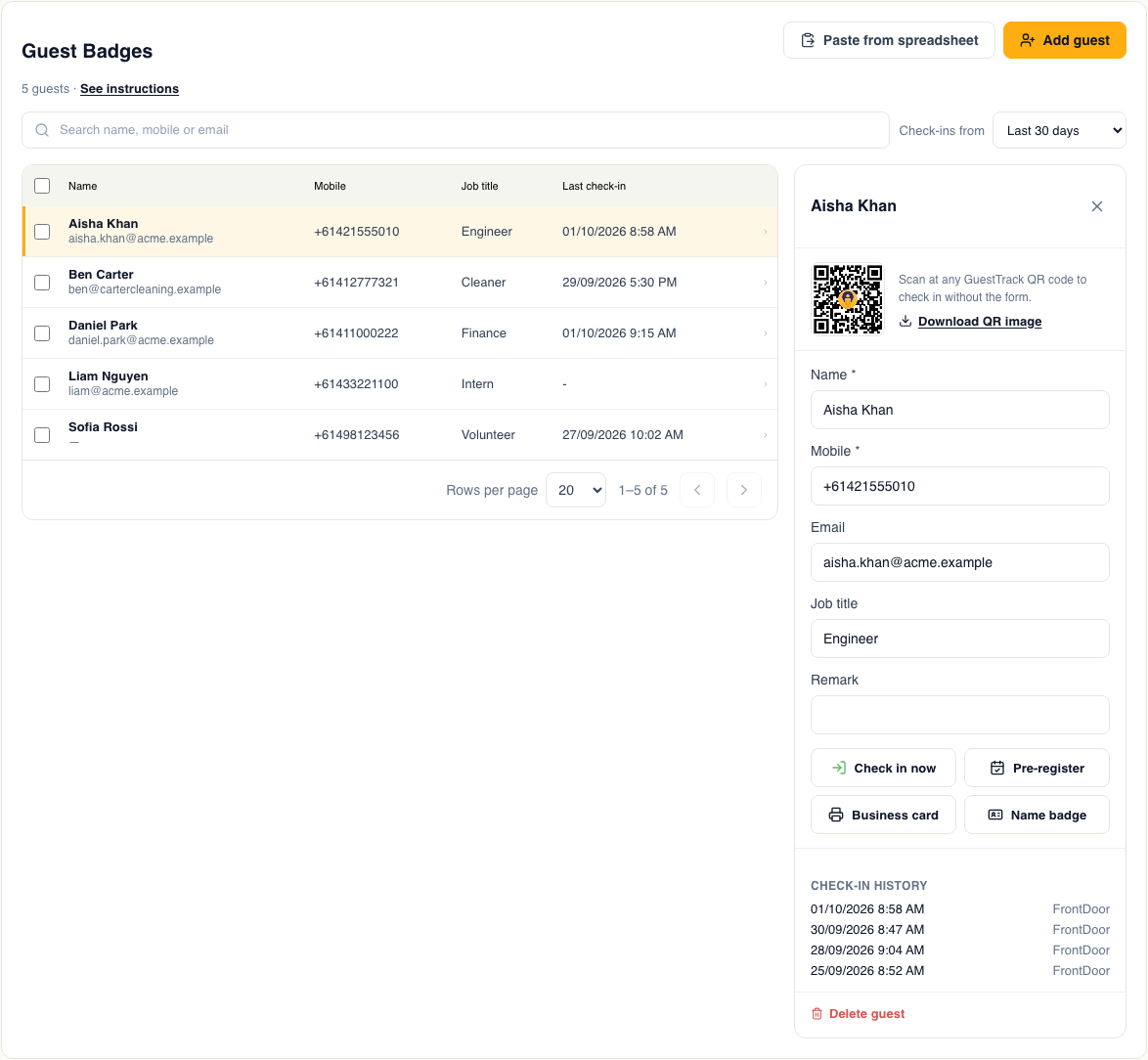
Guest Badges gives employees and frequent visitors their own QR code, so they can check in with one scan. We've redesigned it to make looking after a long list of people much quicker.
A list with a details panel
Click anyone in the list to open their details on the right. From there you can edit their details, see their badge QR code and recent check-ins, check them in, pre-register them, or print their badge.
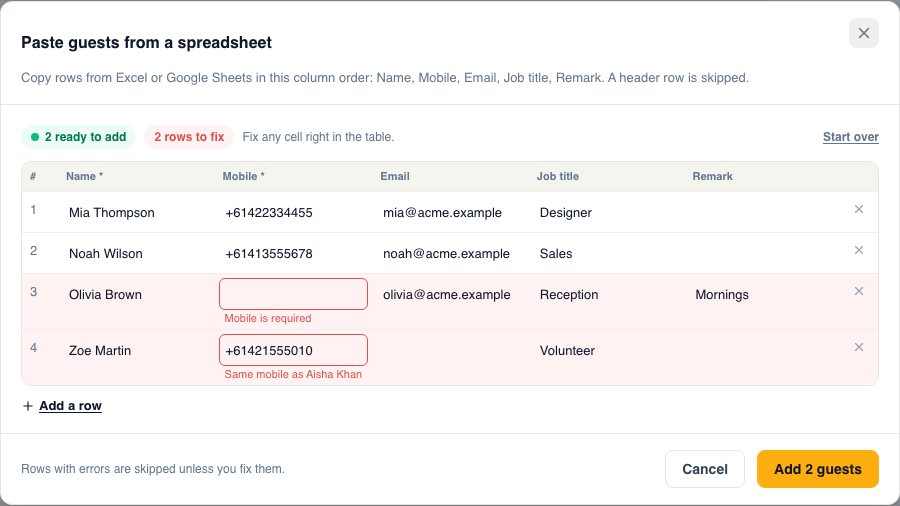
Import guests from a CSV file
Click Import guests and download the CSV template. Fill it in with Excel or Google Sheets, then upload the file, or copy the rows and paste them in. Every row is shown in a preview before anything is saved, and rows that need fixing, such as a missing mobile number, are marked in red so you can fix them in place.
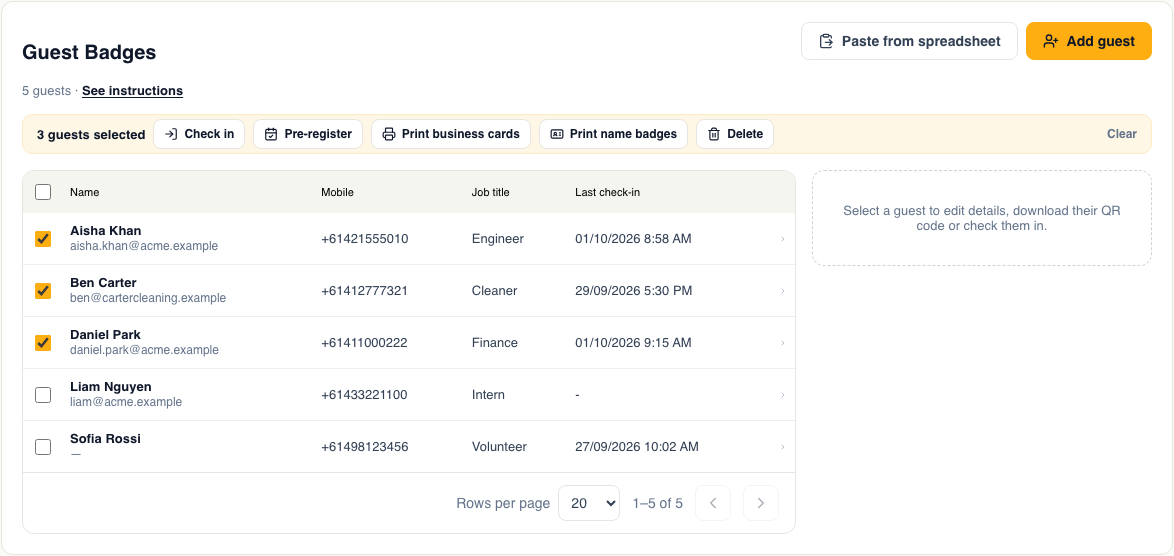
Print badges for many people at once
Tick the people you want and a bar of actions appears. Print business cards or name badges as a PDF, or check in or pre-register everyone you ticked.
Since October 2026, Invites does all of this: guest badges you already had are now ongoing invites, and printed badges still scan.